![Actifile-logo-white-blue.svg]](https://support-temp.actifile.com/hubfs/Actifile-logo-white-blue.svg)
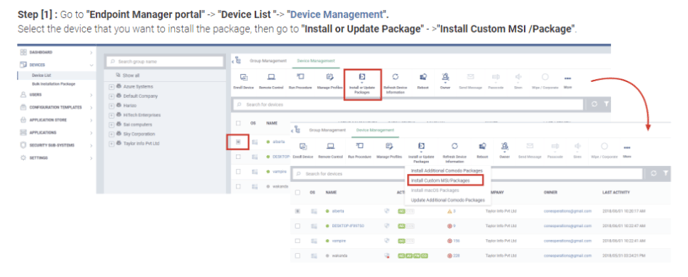
Step 1. Navigate to Endpoint Manager Portal > Device List > Device Management. Select the device where you want to install the package, then go to Install or Update Package > Install Custom MSI/Package.
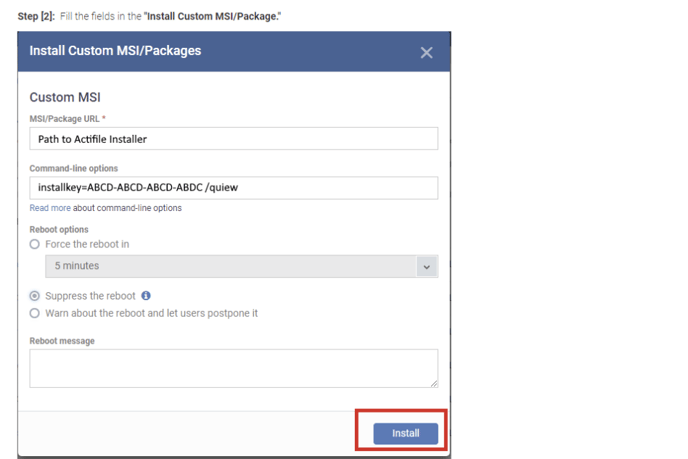
Step 2. Fill in the Install Custom MSI/Package form.
For more information on installing custom MSI packages, refer to the ITarian official documentation.